

PC-Check 4.1
PC-Check 4.1
Couldn't load pickup availability
Share
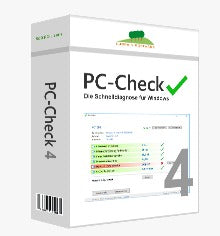
Lugrain PC-Check® - The quick diagnosis for Windows
Lugrain PC-Check® offers you the opportunity to significantly reduce your PC support costs and increase the satisfaction of your employees and users. For a quick overview, watch the PC-Check short video.
Reduce the number of your PC support tickets
Lugrain PC-Check® shows the user and the supporter the 24 most important PC parameters at a glance. PC-Check is able to check any company-specific application for availability (TCP ports). Users can thus identify errors themselves – or be convinced that everything is in order. Understandable explanations enable users to solve simple problems independently. Many support calls become completely unnecessary. See application examples.
Increase the quality of your ticket processing!
The remaining tickets can be processed more efficiently and quickly, as the most important parameters such as processor utilization, locked account, no network, and many company-specific parameters have already been checked - and all information is already available to the ServiceDesk. Further delays such as inquiries or remote control sessions are avoided.
Significant Reduction in PC Support Tickets
A large number of support tickets become completely unnecessary because users can resolve standard errors themselves.
More Qualified and Faster Processing of Support Tickets
Basic checks have already been performed when a support ticket reaches the specialist. This allows errors to be identified much more precisely.
Clearly Understandable Visualization for the User
For each check, the result is green, yellow, or red. Users and supporters can see at a glance what the problem is and how it can be resolved.
Immediate Reflection of Performed Diagnosis to the Supporter
The results of a check are immediately available to the supporter – without remote connection and without additional effort.
Higher Error Resolution Rate Outside Service Hours
Outside service hours, users can assess the state of their environment themselves – and resolve many problems independently.
Features
- The 24 most important PC parameters at a glance
Users and supporters can immediately identify where the error lies. Problems are clearly visualized and provided with understandable explanations.
- Execution of standard PC checks and company-specific checks
In addition to standard checks (CPU utilization, free hard disk space, user account locked, ...), PC-Check is able to check the availability of any company-specific application (TCP ports). More about the TCP port check...
- Execution of device checks
Any device visible in Device Manager can be checked for availability by PC-Check.
- Network speed test for all users
Every user can independently perform an internal network speed test and ascertain the network performance. Also very interesting for HomeOffice (VPN). Naturally network-friendly and with a minimum pause between two tests. And also concealable, if desired.
- Individual compilation of desired diagnostic checks
Checks can be provided per company, per AD group, per IP address range, per user, per computer, or depending on installed software. You can choose from over 20 different check types and customize all texts and images to your needs.
- Central management of provided checks
All checks are centrally managed and provided.
- No server, no database, no cloud
All complicated aspects are omitted. Central management is exclusively via secured network shares - meaning you can simply use your existing file server as a PC-Check server.
- No agent running permanently
PC-Check is only launched by the user or supporter when needed.
- Standalone operation possible for niche cases
Even individual, isolated specialized computers can be checked with PC-Check - for example, production computers, DMZ systems, etc.
- Simple implementation with MSI package without external effort
With the step-by-step installation routine, you can have a test environment (with all features on one computer) implemented within 2 minutes and a complete production environment within 60 minutes. A production installation fully adapted to your company requires one day.
- Software developed in Germany
For users and administrators - everything in German.
- Client customizable to any language
PC-Check (Client, Admin, Designer) is available in German and English. From version 4.0, the client is customizable to any language - for your international locations.
No time to deal with the installation? No problem. Simply request our professional installation support. Completely independent of the software purchase. Learn more...
FAQ
How does central administration work, even though no server is required?
PC-Check manages all central settings in two network shares.
Can different checks be made available to users based on AD groups?
Yes. Checks can be deployed based on AD groups, users, computers, IP address ranges, and existing software.
Can PC-Check be run on standalone computers that are not connected to a network?
Yes. You can use the Designer to create a special configuration and copy it to the standalone computer.
How does the network speed test work?
The network speed test allows every user to measure the internal network speed. Files are copied between the user's computer and a file server, and the bandwidth in Mbit/s is calculated from this.